Mailing list
From "E-mail" you send e-mail to groups of users of the site.
The server comes first
If the e-mail server is not set up, the page says so and sending is disabled. Set it up in Site settings.
New message
- In "Recipients", select "User categories" and/or "User roles". The number next to each group shows how many members have an e-mail address.
- Write a "Subject" (up to 128 characters) and a "Message".
- Click "Test to my address" to see how the message arrives.
- Click "Submit" and confirm.
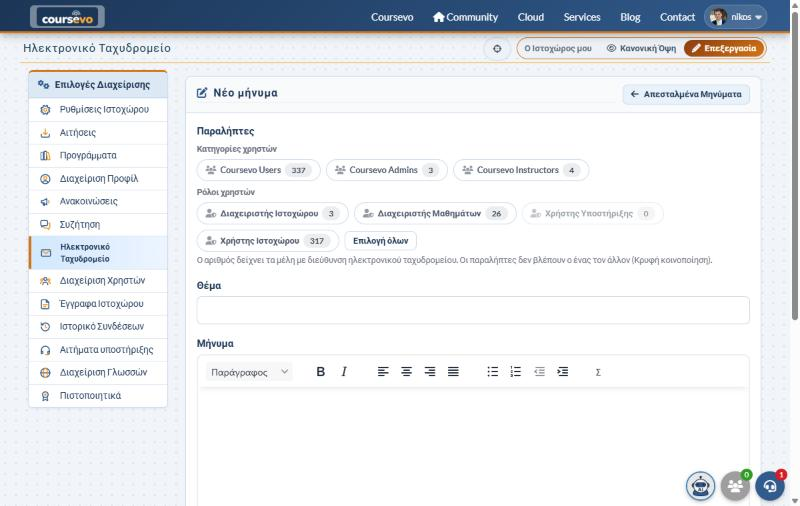
- Recipients do not see each other (blind copy).
- Anyone in more than one group gets the message once.
- Guests and temporary users do not get messages.
- The sender and the subject prefix are the ones in the server settings.
Sent
The "Sent Messages" tab shows subject, recipients, sender and date. When you open a message, "New message with this text" reuses it.