Languages and translations
In "Manage Languages" you set which languages the site is available in.
Default language
In "Default language of the site" you choose the language the site opens in for new visitors. The change is saved right away. The default language is always available.
Available languages
The "Languages" table shows, for each language:
- "Available on the site": the switch that turns it on;
- "Translation coverage": what percentage of the platform's messages is translated, and how many are "untranslated";
- "Translation" or "View": opens the language's translations.
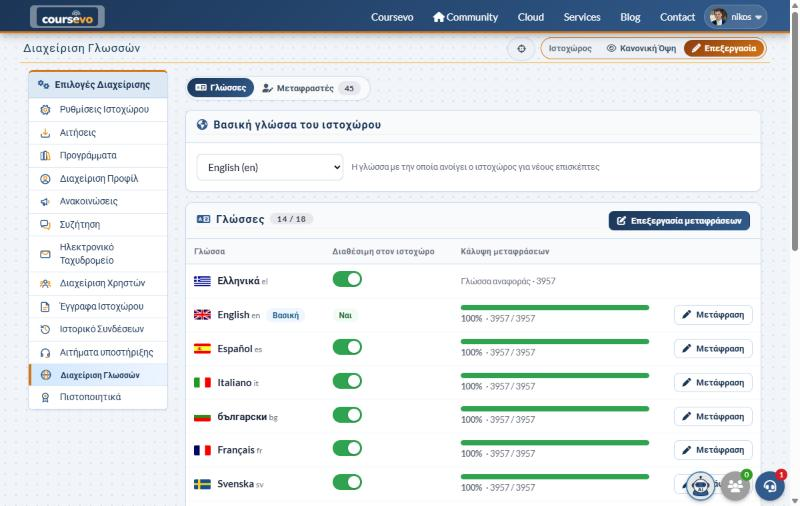
For users to choose a language from the top bar, also turn on "Multilingual site" in Site settings. Each user sets their language in their profile.
Translations are shared
Message translations are shared by all sites on the platform. Messages with no translation appear in English, in brackets.
The translations
The "Translations" page shows each message in Greek, in a reference language and in the target language. Filter by "Service" and status ("Untranslated", "Translated", "Same as Greek"), or search for a word.
Translations are changed by platform administrators and by each language's translators; for everyone else the page is "Read only". If you can translate:
- type in the language's field; it is saved when you leave the field (Ctrl+Enter: save and go to the next one);
- with "Translate empty ones automatically" you get AI suggestions for the empty messages on the page; check them and save them with "Save suggestions".
The {…} symbols must stay the same as in the Greek.